Workflow Management Software Nepal: A Practical Guide for Growing Businesses
Discover workflow management software in Nepal to automate tasks, manage approvals, track processes and improve business operations.
 Kritika Ghimire9 min readUpdated 29 September 2026
Managing daily business operations becomes more complicated as a company grows. A customer request may need to pass through sales, support, finance and management before it is completed. When every department uses separate spreadsheets, emails, phone calls or messaging apps, keeping track of the process can become difficult.
This is where workflow management software in Nepal can make a practical difference.
Workflow management software helps businesses organize tasks, assign responsibilities, track progress and manage recurring processes from one system. Instead of relying on employees to remember every follow-up or manually update several files, businesses can create a structured process for how work should move from one stage to another.
For Nepalese businesses looking to improve efficiency without unnecessarily complicating their operations, understanding how workflow management works is an important first step.
What Is Workflow Management Software?
A workflow management system is software that helps organize the individual steps involved in completing a business process.
Consider a simple customer inquiry. The process might involve receiving the inquiry, assigning it to a sales employee, contacting the customer, preparing a quotation and following up.
A structured workflow could look like this:
New Inquiry → Assigned → Contacted → Quotation Sent → Follow-up → Completed
Each stage has a clear purpose and responsible person.
Instead of asking employees for updates manually, managers can check the current status from the system.
Workflow management can also become part of a wider business process management software strategy, where an organization maps, monitors and improves important processes across different departments.
According to the National Institute of Standards and Technology (NIST), workflow management systems can schedule and synchronize tasks according to their dependencies and route work to the appropriate people or systems.
Why Do Businesses in Nepal Need Workflow Management?
Many businesses start with simple tools such as Excel, Google Sheets, email and messaging applications. These tools can work well when operations are small. The challenge appears when the number of employees, customers and daily tasks increases.
A manager might regularly need to ask:
- Who is handling this task?
- Has the customer been contacted?
- Why is this request still pending?
- Who needs to approve this document?
- How many tasks were completed this week?
- Which activities are delayed?
When answers depend on individual employees or separate spreadsheets, information can easily become scattered. This is where workflow automation software Nepal businesses can use becomes valuable. Repetitive steps can be organized into a defined workflow, allowing employees to concentrate more on the actual work instead of constantly coordinating it.
What Can Workflow Management Software Do?
Workflow management is useful for many types of business processes.
1. Manage Tasks and Responsibilities
A good workflow system can function as task management software Nepal businesses use to assign work, set priorities and monitor progress. For example, a manager can create a task, assign it to an employee and monitor whether it is pending, in progress or completed.
This provides greater visibility without requiring employees to send constant updates.
2. Automate Customer and Sales Processes
Sales teams can organize their leads through defined stages.
For example: New Lead → Contacted → Qualified → Proposal → Negotiation → Won/Lost
The system can record customer information, follow-ups and activities in one place. Businesses looking for a more structured way to manage leads can also connect workflow processes with CRM software in Nepal, depending on their requirements.
3. Manage Approval Processes
Approvals are common in almost every organization. Expenses, purchase requests, quotations, leave applications and other documents may need approval from one or more managers.
An approval workflow software approach can route each request to the appropriate person.
For example: Request Created → Department Review → Manager Approval → Finance Approval → Completed
This makes it easier to identify where a request is waiting and creates a clearer record of the process.
4. Handle Customer Complaints and Service Requests
Customer service teams often receive requests through phone calls, email and messaging platforms. Without a central system, it can be difficult to track which complaints have been resolved and which are still pending.
A workflow can provide stages such as: New Request → Assigned → In Progress → Waiting → Resolved
This helps employees understand what needs attention and gives managers a clearer overview of service activities.
5. Support Field Operations
Businesses with employees working outside the office have additional coordination challenges. Service companies, equipment suppliers, maintenance businesses and other field-based organizations may need to manage employees, customer visits, service requests and job histories.
Infobytes Nepal's Serviol product is designed around field-service activities such as tickets, planning, attendance and job history.
Workflow Management vs Manual Processes
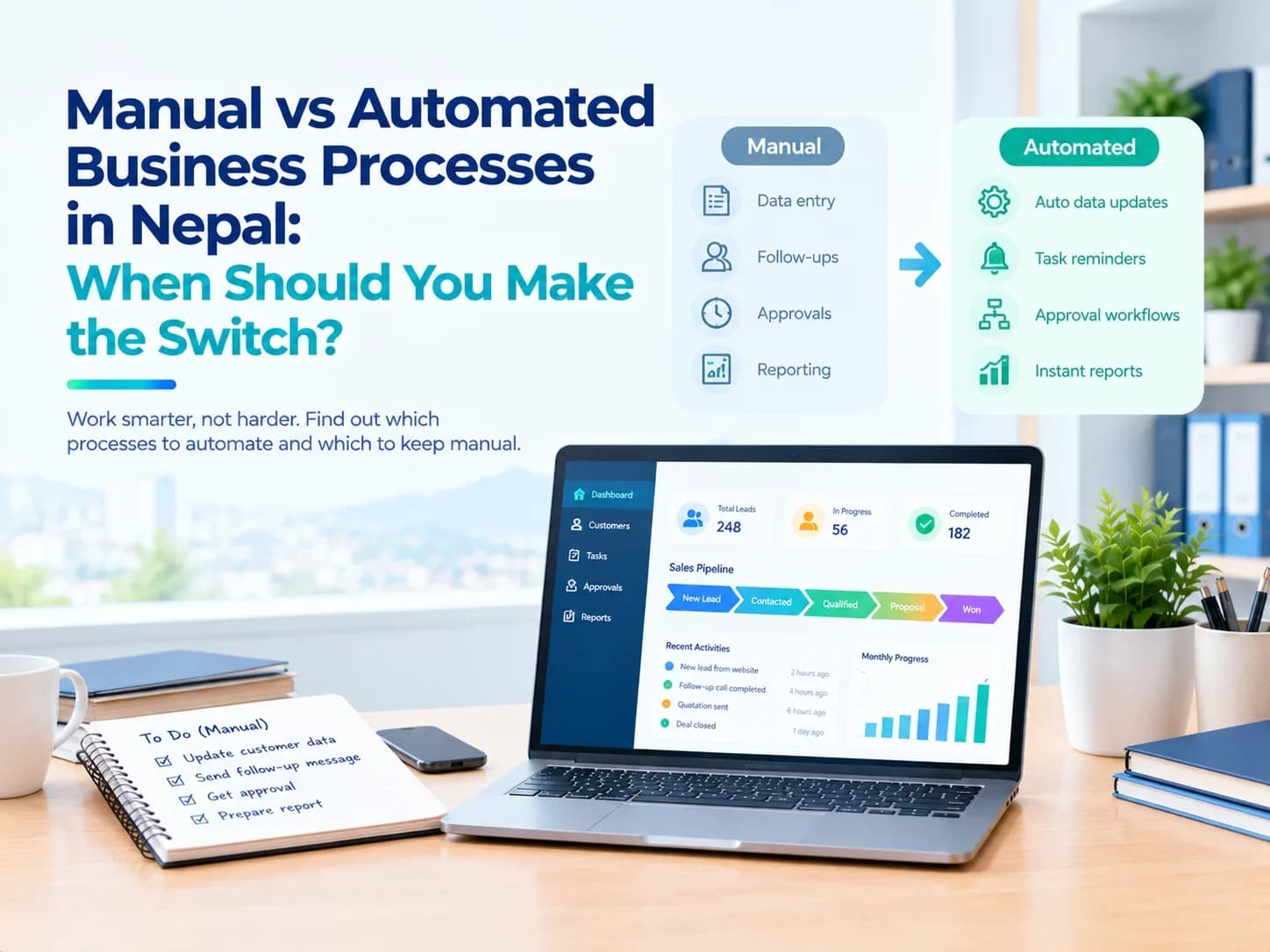
The purpose of workflow automation is not to eliminate every manual activity. Instead, it is about reducing unnecessary manual coordination. For example, imagine that an employee receives a customer request and then has to:
- 1Enter the information into a spreadsheet.
- 2Send the details to a manager.
- 3Wait for approval.
- 4Inform another employee through chat.
- 5Update another spreadsheet.
- 6Send a follow-up message.
- 7Prepare a report manually.
A properly designed workflow can connect many of these steps.
This is one reason business process automation Nepal companies are adopting can be useful. Repetitive activities can be standardized while employees continue handling the decisions that require human judgment.
Important Features to Look For
Before choosing workflow management software, businesses should first understand their actual requirements.
Task Assignment
Managers should be able to assign tasks to individuals or teams and see who is responsible for each activity.
Status Tracking
Users should be able to see whether work is new, pending, in progress, completed or blocked.
Notifications and Reminders
Automated reminders can help employees follow up on important tasks without depending entirely on memory.
Approval Management
If your business has multiple approval stages, the system should allow requests to move between the appropriate people.
Reports and Dashboards
Managers should be able to monitor performance, pending work and completed activities without manually combining information from different files.
User Permissions
Different employees may need access to different information. Role-based permissions can help protect sensitive business data.
Custom Workflows
Every organization operates differently. A flexible workflow management system should be capable of adapting to the actual process instead of forcing the business to completely change its operations.
Workflow Management Software vs Spreadsheets
Spreadsheets are useful and will continue to have a place in business operations. The issue arises when they are being used to manage increasingly complicated workflows.
A spreadsheet can store a task list, but businesses may eventually require:
- Automated task assignment
- Approval stages
- Notifications
- User permissions
- Activity history
- Customer records
- Dashboards
- Follow-up reminders
- Process-based reporting
When these requirements become difficult to manage manually, dedicated software may provide a more organized solution. Infobytes Nepal approaches business automation software by focusing on business processes such as task tracking, lead management, service requests, approvals and reporting.
Should You Choose Ready-Made or Custom Software?
There is no single solution that is right for every business. Ready-made software may be suitable when an existing product already provides most of the features a company needs.
Custom software can be useful when a business has specific workflows, approval structures, integrations or reporting requirements that existing products cannot handle effectively.
Infobytes Nepal provides custom software development for organizations that need systems built around their specific business processes.
The important question is not simply which option has more features. It is whether the solution fits the way your organization actually works.
How to Start Automating Your Workflow
Businesses do not need to automate every process at once. A practical approach is to start with one process that causes frequent delays or repetitive work.
Begin by:
- 1Identifying the process you want to improve.
- 2Listing every step from beginning to completion.
- 3Identifying who is responsible for each step.
- 4Finding where delays and repeated work occur.
- 5Deciding which steps can be automated.
- 6Choosing the required software or development approach.
- 7Testing the workflow with employees.
- 8Improving the process based on real feedback.
Starting small can make implementation easier and help employees become comfortable with the new system.
Is Workflow Management Software Right for Your Business?
If employees regularly spend time searching for information, updating multiple spreadsheets, sending manual reminders or asking colleagues for task updates, it may be worth evaluating workflow management software.
The right system should make work clearer rather than adding another layer of complexity. For some businesses, a ready-made application may be enough. Others may require a customized solution that reflects their specific operations.
The first step is to understand the current workflow and identify where time and information are being lost.
Conclusion
Workflow management software Nepal businesses use can help bring structure to everyday operations by connecting tasks, employees, approvals, customer requests and reporting within a clearer process.
The biggest benefit is not simply having another software platform. It is having a system where employees know what needs to be done, managers can see what is happening and important processes are less dependent on manual follow-ups. Whether your organization needs task management, approval workflows, customer service processes, field operations or broader business process management software, the right solution should be built around your actual requirements.
If your current business processes rely heavily on spreadsheets, chat messages and manual coordination, it may be time to evaluate whether workflow automation can make those processes simpler and easier to manage.
Frequently Asked Questions
What is workflow management software?
Workflow management software helps businesses organize, assign, track and automate the different steps involved in recurring business processes.
Is workflow management software useful for small businesses?
Yes. Small businesses can benefit when they have repetitive tasks, frequent follow-ups, approval processes or difficulty tracking responsibilities across employees.
What is the difference between workflow management and task management?
Task management focuses mainly on individual tasks and responsibilities. Workflow management looks at the complete process and how tasks move from one person or stage to another.
Can workflow software be customized?
Yes. Depending on the platform, workflows can be configured or custom-developed around specific business processes, roles, approvals and reporting requirements.
How much does workflow management software cost in Nepal?
The cost depends on factors such as the number of users, features, workflow complexity, integrations, reporting requirements and whether the business uses ready-made or custom software.
When should a business automate its workflow?
Businesses should consider automation when repetitive manual work, delayed approvals, scattered information or frequent follow-ups are affecting daily operations.

Written by
Kritika Ghimire
SEO & Digital Marketing Intern
Kritika works on search visibility and the content behind it, and writes about what actually moves a page up the results for a business in Nepal.
More about Kritika