Business Process Automation in Nepal: What Can You Automate?
Discover business process automation in Nepal, what you can automate, and how automation can improve sales, service, tasks, approvals, and reporting.
 Kritika Ghimire11 min read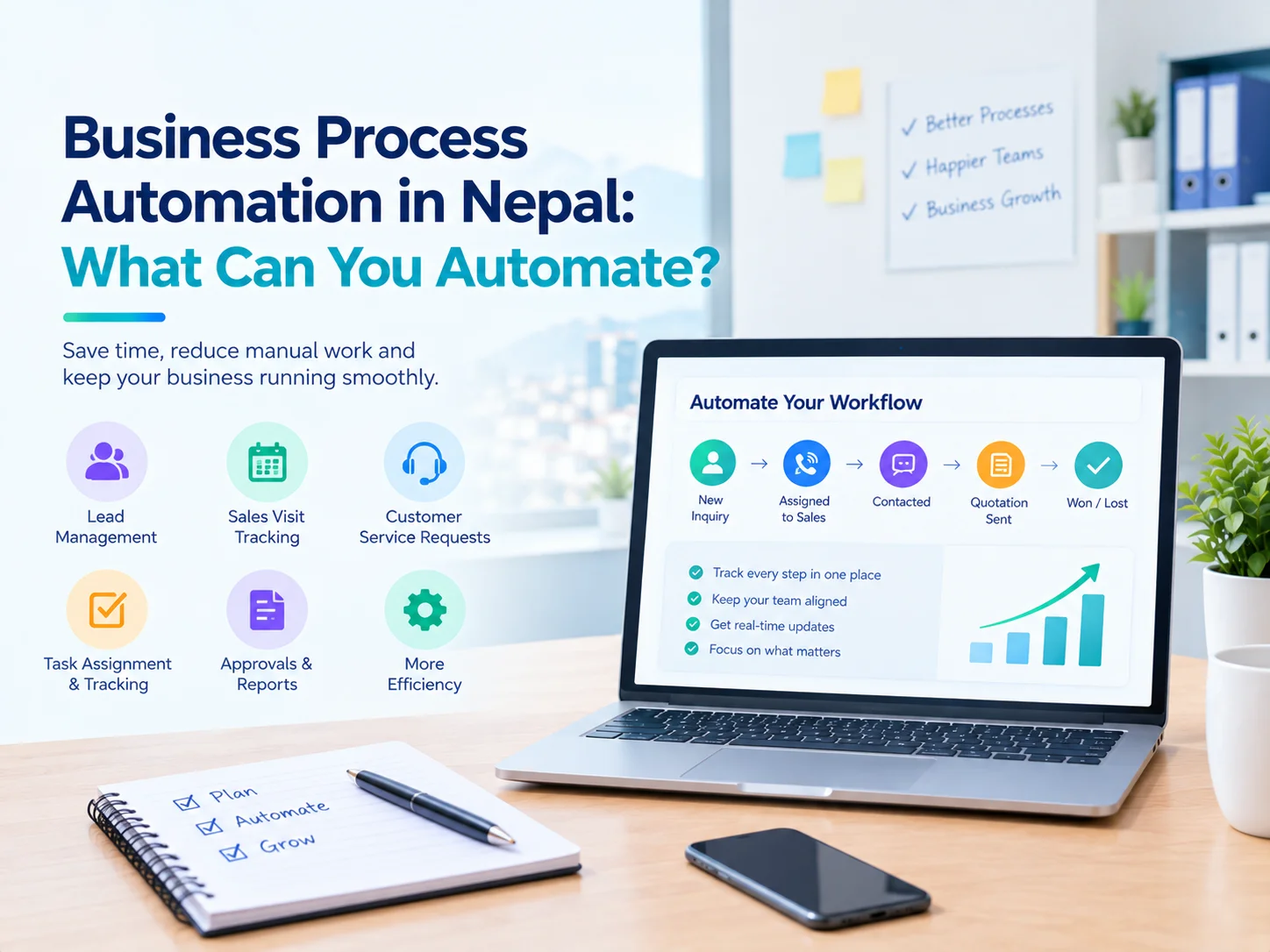
Spreadsheets, phone calls, chat groups, emails and manual reports are still used in important day-to-day business tasks in many businesses in Nepal. As a business expands, it becomes challenging to manage leads, customers, tasks, approvals, service requests, and reports.
These tools can help when a business is small, but as they scale grows, they'll need a more capable solution.
Business process automation in Nepal comes in handy in such situations for businesses.
Business process automation isn't merely about software that takes the place of human beings. It's a matter of minimizing repetitive manual effort, linking information together and ensuring that critical tasks get the appropriate processes.
One can begin with one workflow to a business and slowly increase as the team is comfortable with it when it is automation. Automation can begin with the first workflow to a business and eventually can be expanded as per the comfort of the team to make it.
What Is Business Process Automation?
Business process automation uses software to organize and automate repetitive steps in a business process.
For example, consider a customer inquiry:
New Inquiry → Assigned to Sales → Contacted → Quotation Sent → Follow-up → Won/Lost
If there's no system in place, staff could be using various spreadsheets or messaging apps to share these steps.
Business workflow automation allows for the process to be handled within one system. The responsible employee can view the task, the manager will be able to view its status, and follow-ups can be tracked without re-asking for updates.
Automation doesn't imply that all decisions are made by software. The ability to conduct conversations, negotiations, approvals, and decision making still requires human judgment that employees can do.
If your business mainly needs to organize tasks, responsibilities, and processes, workflow management software in Nepal can provide a structured way to manage these activities.
Why Are Businesses in Nepal Moving Toward Automation?
As businesses grow, manual coordination becomes more difficult.
A manager may need to ask:
- Which leads have not been followed up?
- Who is handling this customer?
- Which service requests are still pending?
- Which tasks are overdue?
- Has this quotation been approved?
- How many sales visits were completed?
- Which customers need follow-up?
- How much work was completed this week?
When answers are spread across spreadsheets, phones, notebooks, and chat messages, managers may spend considerable time collecting information instead of using it.
A properly designed business automation system Nepal companies use can bring these activities into a more organized workflow.
What Business Processes Can Be Automated?
Not every business needs to automate everything. The best starting point is usually a process involving repetitive work, frequent follow-ups, or unclear responsibility.
Here are some common areas where automation can help.
1. Lead Management and Follow-ups
Sales teams often receive leads from websites, social media, phone calls, referrals, and other sources.
Without a central system, leads can easily become difficult to track.
A business automation software Nepal company uses can help organize:
- New leads
- Customer information
- Lead sources
- Assigned sales employees
- Follow-up dates
- Sales stages
- Notes and activities
- Outcomes
For example: New Lead → Contacted → Qualified → Proposal → Negotiation → Won/Lost
Instead of maintaining separate lists, the sales team can work from a common process.
2. Sales Visit Tracking
Businesses with field sales teams often need to know where representatives are going, which clients they met, what was discussed, and what to do next.
Manual reporting makes tracking this information a challenging task.
A sales workflow can capture:
- Customer visits
- Visit outcomes
- Products discussed
- Orders
- Follow-up requirements
- Sales representative activity
It may reduce repetitive reporting and provide managers with a better view of field activities.
Businesses with field sales teams can also use field sales management software in Nepal to organize sales visits, customer information, follow-ups, and field representative activities.
3. Customer Service Requests
Requests from customers and for services become hard to manage when they come through various channels.
Structured workflow may turn any request into a trackable item.
For example: New Request → Assigned → In Progress → Waiting → Completed
Here, the business may enter information about the client, responsible employee, status, dates, comments, and results.
This kind of workflow may prove to be especially helpful for service companies that need to manage tickets, field employees, planning, and history of jobs.
4. Task Assignment and Tracking
Usually, employees get their tasks through meetings, telephone calls, e-mail, and instant messaging apps.
The point here is not in the number of tasks. The problem is: Who is responsible, when is it due, and what is its current status?
A workflow system allows for assigning tasks and tracking them as being pending, in process, or done.
It is one practical way to apply workflow automation in Nepal businesses without reorganizing their whole operations.
5. Approval Processes
Many businesses have processes that require approval before the next step can begin. Examples include:
- Purchase requests
- Discounts
- Quotations
- Expenses
- Leave requests
- Service approvals
- Customer-related decisions
Instead of sending messages such as “Please approve this,” businesses can create defined approval stages.
For example: Request → Manager Review → Approved/Rejected → Next Action
This creates a clearer record of what happened and who approved it.
6. Reporting and Dashboards
Preparation of reports manually takes a lot of time especially when data is scattered in many files.
Information management system of business process management software Nepal company uses organizes data in such a way that reports and dashboards can be created based on operational data.
A manager may want to see:
- New leads
- Follow-ups
- Sales activity
- Pending tasks
- Service requests
- Completed work
- Employee activity
- Customer status
Instead of asking employees to prepare separate reports every week, a dashboard can provide a more direct view of the information already recorded in the system.
Business Automation vs Spreadsheets
Spreadsheet tools are not a terrible invention. On the contrary, such tools may prove extremely helpful in small companies and simple tasks.
The trouble starts with the situation when spreadsheet becomes the core tool in increasingly complex business processes.
Thus, there may be a business where one spreadsheet contains data on customers, another - on leads, another - on sales visits, and another one - on reporting.
Also, employees of the company might copy the same customer information into several files.
This way, the company may require something more than just a spreadsheet.
Business process automation may link tasks, users, records, statuses, notifications and reports into a workflow.
This is not about complete eradication of spreadsheets but about using the proper tools for the particular process. The ready-made software may turn out to be useful if an existing product satisfies most needs of the company.
Business Automation vs Buying a Large Enterprise System
Automation does not always mean purchasing a large enterprise platform.
A growing business may only need to automate one or two important workflows.
For example, a company could start with: Lead tracking → Follow-ups → Sales reporting
Later, it could add: Customer management → Service requests → Task management → Dashboards
This phased approach can make adoption easier.
It also allows the business to understand what employees actually need before investing in a much larger system.
Ready-Made Software or Custom Automation?
Businesses usually have two broad options.
Ready-Made Software
Ready-made software can be useful when an existing product already matches most of the company's requirements.
The business may start using the system without building everything from scratch.
Custom Automation
If the company has special workflows, approval procedure, integration, reports or operational processes that existing software is unable to meet in an effective way, custom software may be a sensible option.
Thus, the company may have a special workflow which includes sales, field service, inventory, customers' approval and management reporting.
In such cases, the business automation solution in Nepal provided by business automation solutions companies in Nepal may be built according to the real workflow, not the workflow that employees should adapt themselves to.
It all depends on the complexity of the workflow, budget and schedule.
What Should You Automate First?
A common mistake is trying to automate everything at once.
Instead, identify the process that creates the most repeated work or confusion.
Look for processes where:
- Employees repeatedly enter the same information
- Managers constantly ask for status updates
- Follow-ups are frequently missed
- Reports take too long to prepare
- Multiple spreadsheets contain the same data
- Approvals are delayed
- Customers have to repeat information
- Employees are unsure who is responsible for a task
This is where process automation software Nepal businesses use can provide the most practical value.
Start with one process, measure the improvement, and expand gradually.
A Practical Business Automation Process
A successful automation project usually starts with understanding the existing workflow.
Step 1: Map the Current Process
Write down every step from beginning to completion.
Step 2: Identify Bottlenecks
Find where information gets lost, work gets repeated, or approvals are delayed.
Step 3: Choose the First Workflow
Select one process that has a clear business impact.
Step 4: Define Users and Responsibilities
Decide who creates, reviews, approves, updates, and completes each stage.
Step 5: Design the System
Define forms, statuses, dashboards, notifications, permissions, and reports.
Step 6: Test With Real Scenarios
Let employees test the workflow using actual business situations.
Step 7: Improve and Expand
After the first workflow is working properly, additional processes can be automated.
This approach is often more practical than trying to transform the entire organization at once.
Business Automation for Small Businesses in Nepal
Small businesses can benefit from automation too.
A company does not need hundreds of employees before automation becomes useful.
For example, a small team might need a simple system for:
- Managing leads
- Assigning sales tasks
- Tracking customer follow-ups
- Managing service requests
- Recording customer information
- Generating management reports
As the business grows, additional workflows can be added.
The important thing is to automate a real business problem rather than adopting software simply because it has many features.
How Infobytes Nepal Approaches Business Automation
Infobytes Nepal works on developing automation based on the actual workings of a business.
The business automation services offered by Infobytes include lead generation, sales processes, service processes, customer relationship management, reporting dashboard, follow-ups, task management, customer record, approvals, and operation visibility.
It begins with the identification of the process which creates more confusion or delays, and then the automation process can be started in phases.
Based on the need, the organizations may either go for the current product line of Infobytes or customize their own solutions.
The products available with Infobytes include LeadRack for leads, Serviol for services, and Purseol for sales operations.
Businesses can explore these business automation solutions based on the workflow they need to improve, whether it involves leads, sales operations, or service management.
Is Business Automation Right for Your Business?
Business automation may be worth considering if your team spends too much time:
- Copying information between files
- Sending manual reminders
- Searching for customer records
- Preparing repetitive reports
- Asking employees for updates
- Tracking tasks through chat
- Following up on approvals
- Managing separate spreadsheets
The purpose of automation is not to make the business more complicated.
A good system should make responsibilities clearer, reduce unnecessary repetition, and give managers better visibility into what is happening.
Conclusion
Business process automation Nepal businesses use can help turn scattered manual activities into structured workflows.
From lead management and sales visits to customer service, task assignment, approvals, and reporting, there are plenty of options that may be automated without having to restructure everything at once.
The best place to begin would be from a process that brings about repetitive manual labor, follow-up failures, approval delays and lack of transparency.
Rather than asking “What kind of software do we need to buy?” try asking the following: “What is our current business process that generates the most unnecessary work?”
Once that process is clearly understood, the right automation approach becomes much easier to identify.
Frequently Asked Questions
What can businesses automate?
Businesses can automate processes like leads management, follow-ups, tasks assignment, approvals, customer service requests, sales reports, notifications, and any other recurrent processes.
Is business automation useful for small businesses?
Yes. Small businesses can begin with only one process like leads tracking, customer follow-ups, tasks management, or reporting and extend automation process when the business grows.
What is the difference between workflow automation and business automation?
Workflow automation usually emphasizes the movement of tasks through a specified process. The scope of business automation can be wider and include more processes related to sales, service, customer management, reporting, approvals, etc.
Should a business choose ready-made or custom automation software?
It depends on the business requirements. Ready-made software can work when an existing product fits the workflow, while custom software may be appropriate when the business has specific processes, integrations, or reporting requirements.
How should a business start automation?
Firstly, a business needs to map the current process, find repetitive actions and bottlenecks, select only one important process, and then design automation around this process.

Written by
Kritika Ghimire
SEO & Digital Marketing Intern
Kritika works on search visibility and the content behind it, and writes about what actually moves a page up the results for a business in Nepal.
More about Kritika