LABORATORY MANAGEMENT SOFTWARE IN NEPAL
Discover 10 signs that your lab needs laboratory management software in Nepal, from duplicate records and lost samples to slow reports, billing gaps and reagent shortages.
 Kritika Ghimire16 min readUpdated 29 September 2026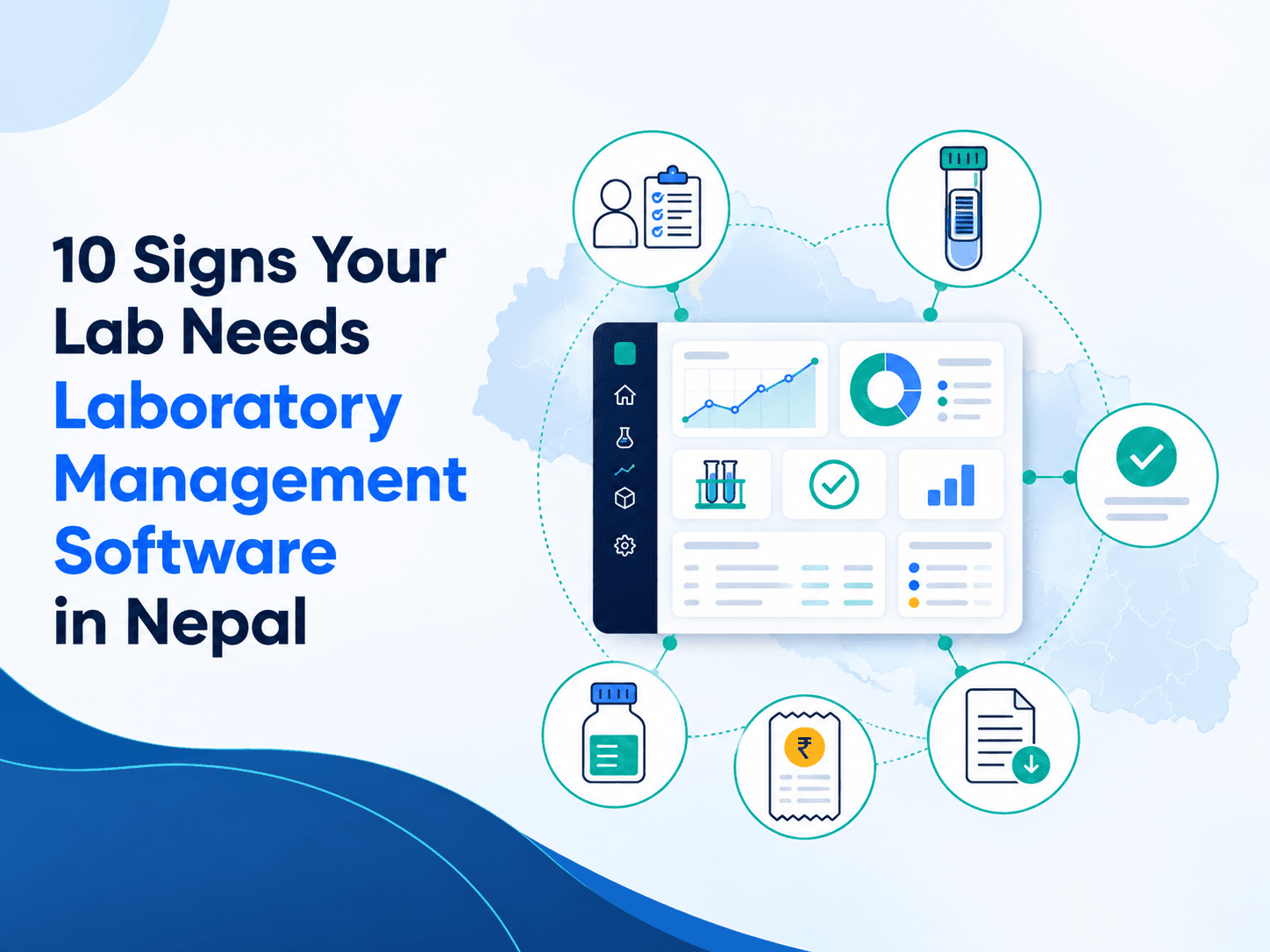
A register, spreadsheet and Word report template may be enough for a small medical laboratory. Each tool does its one job, staff know the routine by heart, and problems get sorted out through experience. However, as patient numbers increase, these separate tools can create duplicate records, misplaced samples, reporting delays, billing gaps and reagent shortages.
Now, at this point, information start moving faster than the manual process can even control it. The name of same patient gets registered twice under two different spellings. A sample sits somewhere without a clear status. A result gets typed twice. Also, Billing and testing will quietly stop matching up. Reagent stock will look fine, until a busy morning proves otherwise.
This is where laboratory management software in Nepal becomes valuable. It connects registration, test orders, samples, results, verification, reporting, billing and operational visibility within one workflow. It cannot replace professional judgement or a complete laboratory quality-management system, but it can provide controlled records and traceability so qualified staff can perform and supervise their work more reliably.
The World Health Organization treats accuracy, reliability, and timeliness as central concerns in laboratory quality. Other technology or software can't guarantee any of that on its own, but scattered information makes all three much harder to manage. Here are ten signs that suggest your current setup has reached its limit.
What is laboratory management software?
Laboratory management software is a digital system used to organize patient information, test orders, samples, results and workflows across a laboratory.
Depending on its capabilities, it may support patient registration, sample identification, result entry, authorization, report delivery, billing, inventory and management reporting. More advanced systems may combine both laboratory information and operational management within one platform.
In practice, laboratories commonly use an LIS (Laboratory Information System) to manage patient-focused clinical information and a LIMS (Laboratory Information Management System) to manage samples, testing data and laboratory workflows. Nidanyo is a LIOMS, or Lab Information and Operations Management System. It combines laboratory information management with broader operational functions such as billing, reagent inventory, user access, audit trails, multi-branch visibility and management reporting. The difference is important because Nidanyo does more than store patient records or track samples. It connects the complete laboratory workflow from patient registration and sample collection to result verification, report release, billing, inventory and operational reporting in one system.
A good software should support the laboratory's approved procedures, rather than quietly redefine them. Test catalogues, sample types, reference intervals, authorization rules, correction processes, retention requirements, and access permissions all need review from qualified laboratory leadership before making them live.
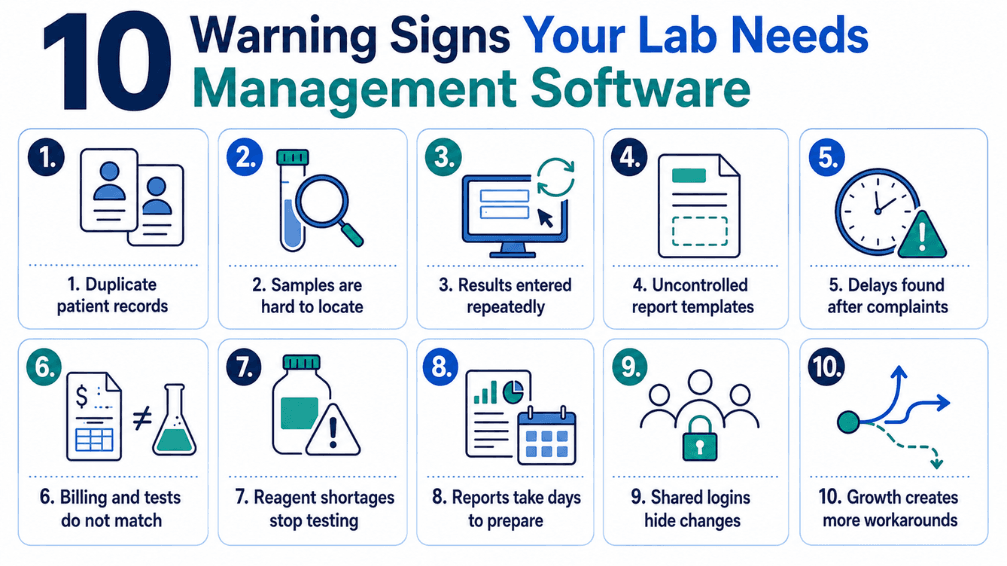
10 Signs Your Laboratory Needs Management Software
Sign 1: the same patient is registered more than once
The small inconvenience often begins as a duplicate patient record. One operator enters a full name, another uses initials, a third records the phone number in a different format, and before long, a patient's history or report is split across records. Now, the staffs can’t confidently piece back the records together.
The risk worsens or increases when registration, billing, and reporting run on separate tools. Even when each system has correct information, tiny differences keep the records from matching up, and staff end up wasting their time searching and correcting instead of helping and serving patients.
Good medical laboratory software creates one patient record that follows the order through collection, testing, verification, reporting, and payment. Search and duplicate-detection tools can help the staff get warned about the likely matches. A unique identifier helps to eliminate the guesswork out of relying on the spelling alone. Before implementation, decide which fields actually identify a patient, which are mandatory, and who's allowed to merge duplicates. Software can't fix unclear registration rules by itself, but it can make those rules consistent.
Sign 2: Staff cannot quickly locate a sample or explain its status
When someone asks “where's this sample?” and the answer means walking between the counter, the collection room, and the bench, that's going to be a problem. When sample status only lives in people's memory, paper marks, or chat messages, real delays become almost impossible to tell apart from normal work in progress. A connected system gives every sample an identity and records the status changes, if there is any. Barcode labels can link the physical container to the digital order, and authorized users can immediately see at a whether collection is pending, the sample has arrived, processing is underway, a result is waiting on verification, or the report has already been released.
That kind of visibility matters a lot for referred tests, multiple departments, and collection centres, and it helps staff catch overdue work before a patient has to call and ask.
None of this replaces correct labelling, specimen-acceptance rules, or properly trained handling. It just strengthens traceability once the workflow around it is set up properly.
Sign 3: Results are repeatedly typed from one place into another
Repeated transcription is a sign of problem in any process that generates lots of data. The result may start off in the output of the analyzer, be transcribed onto paper, then typed in from the paper onto a spreadsheet and from there into the report template, and each one of these transcription steps creates yet another opportunity for a number, decimal point, unit or patient name to get typed incorrectly.
Laboratory information systems allow you to enter your results in a structured manner on a screen directly associated with the correct test and patient. With appropriate support and validation, an interface with the analyzer can allow transfer of results electronically and eliminate manual transcription. Although, results will still have to go through the regular laboratory workflow like review and authorization procedure. Don't assess the performance of the interface simply on whether the machine is “connected”. Ask about the protocols supported, test code mapping, handling of flags, failure criteria, responsibility for validation and what happens if the connection fails.
Sign 4: Reports are created from uncontrolled Word templates
Word templates can be quite professional in their looks, however, separate files become unmanageable once you scale. For instance, one PC may still be using an outdated template format. Reference ranges will vary among templates. If a report is amended, the original one will be overwritten with no record of any changes made. In the laboratory information system, reports are created based on a set of test definitions and layouts. The result goes through a certain authorization procedure, and only a report with the proper status becomes eligible for release. Correction of the report is done via a documented amendment procedure that keeps a proper traceable history of reports.
It is important that the report design allow users to clearly see the information on patient identification, sample data, results, units, reference range, flags, report status, and amendment status. Moreover, it is up to the lab to verify that its configured reports comply with its professional and legal standards.
Sign 5: Pending work is discovered only when someone complains
When done manually, a delayed report may go unnoticed until someone from either the patient's end, clinician's end, or the collection centre calls to inquire about it. Laboratory Management Software can enable sorting of worklists by department, status, priority and age. A dashboard can then be created to highlight uncaptured orders, captured samples, pending results, results awaiting authorization and late reports, and all this not because of the colorful display, but to identify any work that has been delayed before complaints arise.
Turnaround time monitoring makes sense only if there is consistent definition of the milestones used in the process. What is the start time, what stops the timer, what is the actual turnaround time target, and how do referred tests fit into all this? Inconsistently timestamped dashboards just give us a false sense of assurance.
Sign 6: Billing and testing do not reconcile
When billing and laboratory records reside in different systems, a test may be ordered but never billed; it could be billed and later cancelled without a record; or it could have been ordered and performed at the bench but never entered in billing.
Integration of lab billing ties the financial transaction to the order which initiates the sample and result workflow and could also include defined rates, packages, discounts, credits accounts, and status of payments while also maintaining a history of all modifications.
The integration supports the reconciliation, however, financial controls would also require defined roles and limits for approvals, collection processes, refund policies, and periodic reviews.
No system is able to prevent data leakage if everyone has free access to it. In a demonstration, one should test the following scenarios: cancelled test, partial payment, repeated collection, change in packages, approved discount, credit account, and revised invoices.
It is the exception cases which would reveal much more than any perfect standard transaction.
Sign 7: Reagent and consumable shortages interrupt testing
Eyeballing the shelves will be sufficient when there are few items and everyone knows everything on the shelves. However, as the list of tests grows and the number of personnel increases, the inventory will become more difficult to maintain. One kit reaches expiry date without anyone noticing it, one frequently used reagent runs out of stock in the middle of the day, or purchases get to know of the lack of stock after testing process is stopped.
laboratory management software allow tracking of items, batches, expiry date, invoices, problems, and reorder point. The usage of the stock can be connected to tests depending on the configuration and discipline of testing.
However, all data that is kept in the database is as good as the actual transactions that take place. Assign someone responsible for receiving, issuing, adjustments, damaged stock, and counting the stock manually at least once a month.
Sign 8: Managers spend days preparing reports
If information about the number of tests, income, backlog, referrals, or department performance must be assembled from more than one file, managers will never have access to up-to-date figures. In addition, two employees could come up with two different calculations of the very same metric since there was never any agreement about what the metric means.
The system that is linked can produce operational reports based on the data that is recorded through day-to-day operations. Volumes, collections, balances, turnaround time, and backlog can be assessed by managers without having to ask each department to provide its own spreadsheet.
Before creating any automated reports, define the metrics properly. Is the revenue the income, collected money, or net of refunds? Should the test volume be calculated by panels or individually performed tests? What does it take to make a test part of the particular month? Define everything at first, otherwise, the argumentation will begin earlier.
A good reporting process should start with a relatively short list of decisions managers need to make.
Sign 9: Staff shared logins and changes are difficult to trace
Even though having a common login can appear convenient in a busy shift, it actually eliminates accountability. When any action on the results, discount, patient information, or report is taken, there's no way to know who was behind that action. A proper lab management software should have individual logins as well as role-based access controls. The permissions of a receptionist, a collector, a technologist, an approved reviewer, a cashier, and an administrator will not be the same. Individual logins with audit trail provide tracking of the actions of different users at different times.
The least privilege principle needs to be used while granting permissions, disabling access after the user's job function changes, and ensuring that the administrator account is not shared. Audit logs are meaningless unless somebody actually reviews them, and audit logs are important to protect as well.
Sign 10: Growth requires more workarounds, not a stronger process
This would be made most evident by structure; each new branch, employee, analyst, or service creates yet another spreadsheet, chat room, reports directory, or manual reconciliation. The laboratory is expanding, but the process is becoming harder and harder to see.
At this point, the only thing that hiring more employees to manage the fractured information does is postpone the inevitable. A connected process will be able to centralize core record keeping, but allow the necessary variations to occur, such as branch-specific pricing, collection centre-specific workflow, or any other legitimate variance.
Multi-branch solutions require careful planning when it comes to identifier management, separation of central and local record keeping, connectivity, report access rights, ownership, and visibility. Choose the solution that can prove its ability to do so, not the one that merely includes it in a feature list.
Benefits a well-implemented laboratory management software/system can provide
One connected record
As all the process like registration, orders, samples, results, reports and billing are linked to one underlying record, there is no need to reconcile various versions of the same thing.
Better visibility of the workflow
Worklists and statuses help to identify things that need to be done, reviewed, and released, and therefore allow managers to take action to prevent any delays becoming complaints.
Consistent control measures
The defined roles, test information control, authorization phases, and amendments tracing ensure consistent operation, although they are not substitutes for the procedures, supervision, and professionalism.
Faster information accessibility
An authorized person can view the previous records, current status, and operational report from one file only.
The base for further improvements
The availability of reliable timestamps and structured data allows identifying any repeating delays, workloads, and gaps in processes, although for improvement itself someone has to analyze this information.
What Laboratories in Nepal Should Consider
A laboratory choosing software in Nepal should evaluate more than the standard feature list. Local operating conditions, staff capacity, branch structure and support arrangements can determine whether the system works reliably after launch.
Deployment model: confirm whether the software is cloud-based, installed locally or offered as a hybrid solution.
Internet and power interruptions: ask what continues to work during downtime, how records are protected and how data synchronises after service returns.
Local support: confirm support hours, escalation contacts, expected response times and whether on-site assistance is available when required.
Training: request role-based training for reception, collection, testing, authorisation, billing, inventory and administration.
Multi-branch operation: test branch-specific pricing, collection-centre workflows, report access and central management visibility.
Data migration: define which patient, test, billing and report records will be migrated, how accuracy will be checked and how old records will remain accessible. Backup and recovery: obtain a written backup schedule and evidence that restoration is tested, not merely promised.
Analyser integration: verify support for each exact analyser model and define who is responsible for mapping, testing and approving the interface.
Data ownership and export: ensure the laboratory can obtain its records in a usable format if it changes systems in the future.
Features to evaluate in laboratory management software in Nepal
When evaluating an advanced LIOMS such as Nidanyo, laboratories should assess both information-management and operations-management capabilities. The system should manage clinical and sample information while also supporting billing, inventory, permissions, reporting, branches and other daily laboratory operations like:
- Patient registration and duplicate handling
- Test orders, panels and sample requirements
- Barcode generation and sample-status tracking
- Controlled test catalogue, units and reference information
- Result entry, review, authorization and amendment
- Report templates and secure delivery options
- Billing, packages, discounts, credit accounts and refunds
- Reagent and consumable inventory by batch and expiry
- Individual users, role-based permissions and audit history
- Backup, restore and downtime procedures
- Multi-branch or collection-centre workflow, if relevant
- Analyser interfaces, including validation and failure handling
- Data export, migration and retention
- Operational and financial reporting
- Local training and post-launch support
Don't accept a slideshow as proof. Use real examples from your own lab and have the provider complete them live, in the system.
Questions to ask a laboratory software provider
- Can you demonstrate our complete patient and sample workflow?
- How are duplicates identified and merged?
- How are result authorization and corrected reports controlled?
- What audit information is retained?
- How are units and reference information configured and approved?
- Which analysers can connect, and who validates each interface?
- What happens during an internet, server or power interruption?
- How often are backups created, and how is restoration tested?
- Can we export our records in a usable format?
- How are permissions reviewed and changed?
- What implementation, migration and training are included?
- Who provides support during laboratory operating hours?
See How Nidanyo Supports Laboratory Workflows in Nepal
Nidanyo by Infobytes Nepal is a LIOMS, Lab Information and Operations Management System, built for medical laboratories, diagnostic centres and pathology labs in Nepal. It combines patient registration, test ordering, sample tracking, result validation, report generation, billing, reagent inventory and management reporting within one connected platform.
While an LIS generally focuses on patient and clinical laboratory information and a LIMS commonly focuses on samples and laboratory workflows, Nidanyo extends these capabilities with operational features. These include billing controls, inventory monitoring, role-based access, audit trails, multi-branch visibility and operational reporting.
Is your laboratory still managing patients, samples, billing and reports through separate systems? InfobytesNepal can help you bring the entire laboratory workflow into one connected platform.
CONCLUSION
The choice of laboratory management software in Nepal, must be backed by operational realities. When duplication of data, ambiguity regarding the status of the samples, transcription, uncontrolled reports, delayed processing, missed billing, supply chain interruptions, manual reporting, multi-user access, or branch office issues seem like part of the daily routine, it is clear that there needs to be a tighter control on the process. For laboratories that need more than basic patient records or sample tracking, a LIOMS can provide a more complete connection between laboratory information and daily operational management.
Select an application that allows for the lab's workflow to be implemented in the system and validated using realistic use cases, and has solid implementation and support. Technology works best when people, processes, configuration and accountability are all handled as part of one change.
Frequently Asked Questions:
What is the difference between LIS, LIMS and LIOMS?
An LIS usually manages patient-focused clinical laboratory information, while a LIMS commonly manages samples, testing data and laboratory workflows. A LIOMS combines laboratory information management with operational functions such as billing, inventory, access control, audit trails and management reporting. Nidanyo is a LIOMS because it supports both the laboratory workflow and the wider daily operations of the laboratory.
Can laboratory software eliminate report errors?
No, it reduces the likelihood of repeated data entry, provides controlled configuration and reviewing stages - but mistakes may occur due to incorrect configuration, user error, problems with specimen, equipment or procedure itself. Qualified reviewing is still mandatory.
How much does laboratory management software cost in Nepal?
This will depend totally on the architecture. Inquire about whether the software is cloud-based, hosted locally or both, what functionality is available offline and how the synchronization of the records takes place afterward. Test the whole downtime/recovery scenario personally.
How long does implementation take?
It will depend on users, branches, modules, migration, hosting, support, reporting setup and interface to the analysers. Request a detailed scope in writing that will divide implementation expenses from recurring costs and list additional modules and future support.

Written by
Kritika Ghimire
SEO & Digital Marketing Intern
Kritika works on search visibility and the content behind it, and writes about what actually moves a page up the results for a business in Nepal.
More about Kritika