Website Maintenance in Nepal: A Monthly Checklist for Business Owners
Follow a practical website maintenance checklist for Nepali businesses covering security, backups, speed, broken links, content updates, and performance.
 Kritika Ghimire8 min read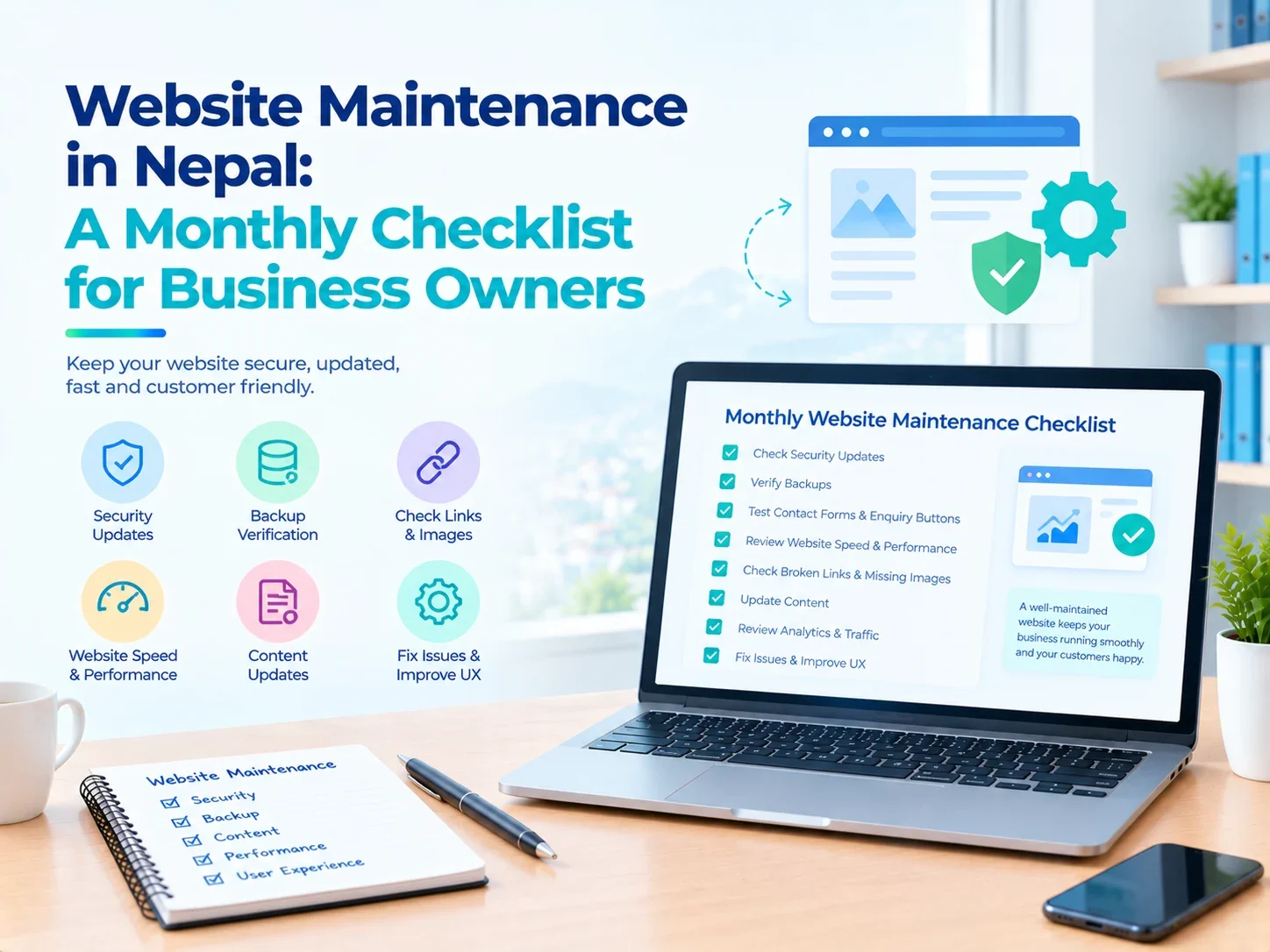
Creating a website is a crucial endeavor for any business, but it's not a project that ends once it's up and running. It is essential that websites are regularly maintained to ensure they are secure, usable, accurate and of benefit to customers.
Six months ago, the site may have been flawless with all the needed services, forms, contact details, etc. - but now, it could be completely different.
A well-maintained website is crucial for businesses that are expanding to maintain their online presence and ensure a seamless customer journey.
For businesses experiencing growth, website maintenance in Nepal becomes a vital component to safeguard their online visibility and customer experience.
Fortunately, maintenance doesn't always involve significant technical efforts. For business owners, a monthly schedule can be useful to pinpoint issues before they impact customers.
This guide covers the major checks to make and how to effectively maintain a business website.
What Is Website Maintenance?
After a site is launched, it needs to be continually managed, inspected, and enhanced.
It involves a check of security, backups, content, functionality, performance and technical settings.
Effective business website maintenance helps ensure that visitors can access information, submit enquiries, and navigate the website without unnecessary difficulties.
The requirements for a consultancy website will be different, for instance, from those for an online store, where product information, the checkout process, and payment methods are subject to more checks.
Businesses looking for professional support can explore website maintenance services in Nepal to understand the activities involved.
Why Is Regular Website Maintenance Important?
A neglected website can create problems that remain unnoticed for weeks or months.
A contact form might stop sending messages, an outdated plugin could introduce security risks, or customers might encounter incorrect contact information.
These problems can affect customer trust and business operations.
Regular maintenance helps businesses identify technical issues, protect important information, and keep their websites useful.
It also supports a better experience for visitors who expect accurate information and functioning pages.
Monthly Website Maintenance Checklist
1. Check Website Security Updates
The security of any business website should be considered a priority. Content management systems, plugins, themes etc. can be updated to fix vulnerabilities or issues.
Frequent website security updates help minimize exposure to known dangers. Make sure to have a current backup before applying big changes. Where possible, updates should be tested, especially if they have key integrations in websites.
Businesses using WordPress can review WordPress development services in Nepal when evaluating ongoing technical support.
Updates are important, but they should be managed carefully to avoid disrupting website functionality.
2. Verify Website Backups
A web back up gives a recovery if files get corrupted, information is deleted or there is a technical problem.
But website backup and website recovery is only half the story.
It's important for businesses to verify the backups are running properly and that all required files and databases are being backed up.
Backups should also be stored securely, typically away from the primary environment.
Restoration testing occasionally is used to find out if the backup can be used during an emergency.
Backups may be more frequent than monthly for websites that have frequent transactions.
3. Test Contact Forms and Enquiry Buttons
A website can appear completely normal while its contact form is failing. This is particularly concerning for service businesses that depend on website enquiries.
Submit a test enquiry and confirm that it reaches the correct email address or management system.
Also check telephone links, email buttons, quotation requests, and booking forms.
If several employees handle enquiries, verify that messages are assigned to the appropriate person.
Testing these features regularly helps businesses avoid losing potential customers because of unnoticed technical issues.
4. Review Website Speed and Performance
The speed of the website affects the ease of the user in navigating through pages.
Web page size, irrelevant scripts, and poorly set up web page elements can impact loading time.
Focus on key pages for monthly website performance optimization on both desktop and mobile.
Watch for slow loading images, unexpected changes in layout and pages that become hard to use.
Google's official PageSpeed Insights tool can help identify performance issues and opportunities for improvement.
Focus on changes that improve the actual visitor experience rather than chasing a perfect performance score.
5. Check Broken Links and Missing Images
Broken links can cause your visitors not to be able to find the information they need.
They can occur if pages are deleted, the URLs change, or external resources are unavailable.
Likewise, if there are missing pictures in a site, it can give the impression that the site is not complete or maintained.
Checking navigation links, service pages and the latest blog posts should be part of a good website maintenance checklist.
Use appropriate redirects as needed when changing or removing pages.
These problems are important for visitors to the site as it helps them navigate to reach the relevant information.
6. Update Business Information
Customers expect a business website to be accurate.
Check numbers, office addresses, hours, descriptions of service, and staff.
It's also important to verify that the prices, product availability and promotional offers are accurate.
A company which has shifted its office space ought to change its website prior to when the customers go to their former workplace.
When content is accurate, it helps build credibility and eliminates needless customer confusion.
7. Review Mobile Usability
Many visitors access business websites through smartphones.
A page that works well on a desktop computer may still have problems on a smaller screen.
Check whether menus open correctly, buttons are easy to select, and text remains readable.
Test important forms and navigation links using a mobile device.
Businesses considering structural improvements can explore web development services in Nepal for responsive design and functionality improvements.
Mobile testing should be part of routine maintenance rather than an activity performed only during website development.
8. Monitor Website Traffic and Search Visibility
Website owners should understand whether their pages remain accessible and visible to potential customers.
Review website analytics for unexpected changes in traffic, popular pages, and visitor activity.
Google Search Console can also help identify indexing problems and technical issues affecting search visibility.
Businesses interested in ongoing optimization can explore SEO services in Nepal.
Maintenance does not guarantee higher search rankings, but identifying broken pages and technical problems can help protect the website's usability and discoverability.
How Often Should Website Maintenance Be Done?
Not all maintenance needs to be done simultaneously.
Daily or weekly attention may be needed for security monitoring, backups and uptime checking.
Content reviews, link checks and performance testing may be done on a monthly basis.
For more complex sites, particularly eCommerce stores and platforms that receive customer transactions, it's important to keep a closer eye.
The right one will depend on the complexity of the website, the amount of traffic it receives, how often it's updated, and business needs.
Website Maintenance Cost in Nepal
The website maintenance cost in Nepal is variable and varies according to the type of website and the services provided.
A small information website doesn't need as much upkeep as an internet store with payment incorporation and common items being refreshed.
Other factors that can affect the cost include:
A clear maintenance agreement should be requested, outlining the details of what is included, as well as what changes will incur extra fees from the business.
It's not always better to compare prices per month; it can be useful to compare the scope of support.
Common Website Maintenance Mistakes
It's easy to wait until the site is not working and then test it.
The other is believing that automatic backup is a guaranteed recovery.
You could also have businesses neglect to renew domains and update SSL certificates, plugins, and broken enquiry forms.
A basic maintenance log can be created to monitor when things are done, what is found and what needs to be addressed.
It's easier to manage attention if it's a single issue rather than a bunch of problems.
Conclusion
Regular website maintenance in Nepal plays a vital role in ensuring the security, accuracy, usability, and accessibility of websites.
Regularly review updates, backups, forms, performance, mobile usability and business information to avoid unnecessary issues.
Any maintenance routine will be fine, as long as it is practical. It should be as appropriate as the purpose of the site and the risks of operating it.
It is equally vital for a business to keep a website up and running as it is to create a professional one for the Nepalese business.
Frequently Asked Questions
How often should a business website be maintained?
There is need to monitor some of the tasks daily or weekly, and for general content and functionality reviews can be performed monthly.
Why are website backups important?
In the event of a technical issue or damage to website files and/or data, backups offer a means to recover.
Does website maintenance improve SEO?
Maintenance can solve technical issues which may impact a site's accessibility and search visibility, but it does not necessarily improve rankings.
Can small businesses maintain their own websites?
Yes. Basic content and functionality checks will be feasible for business owners, while technical updates and security matters might necessitate professional help.

Written by
Kritika Ghimire
SEO & Digital Marketing Intern
Kritika works on search visibility and the content behind it, and writes about what actually moves a page up the results for a business in Nepal.
More about Kritika